![pd-white.png]](https://help.publishdrive.com/hs-fs/hubfs/pd-white.png?height=38&name=pd-white.png)
-
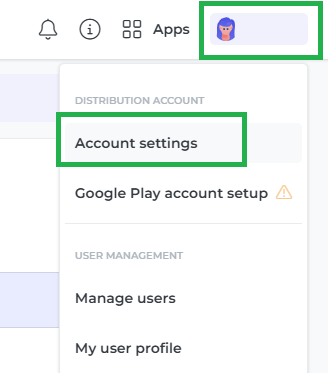
Navigate to Account Settings.
-
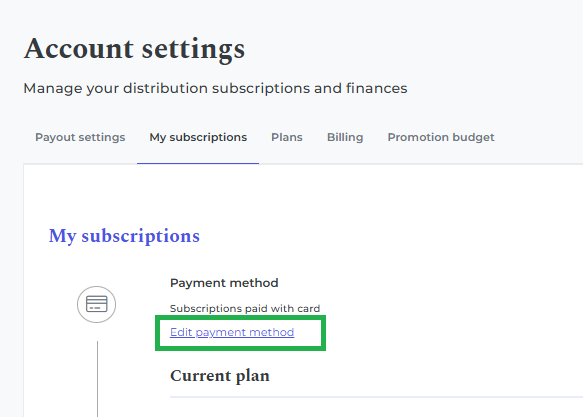
Go to My Subscription and Click Edit payment method.
-
Select Choose another way to pay.

-
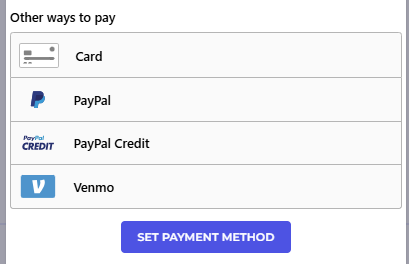
Choose your new payment preference.
-
Confirm by clicking Set payment method.
Once confirmed, your new payment method will be securely saved to your account, and all future payments will be processed using this method.
Important note
If you would like the old payment method removed from your account, please reach out to our Support Team by submitting a ticket here
Our team will be happy to assist you.
📚 Happy publishing 📚